
Being unable to open a casino site can be frustrating, particularly when you want to check your balance, review a promotion or continue a game. Access problems do not always mean that an account has been closed or that the site is unavailable. They can result from a mistyped address, browser settings, a temporary service interruption, an outdated app or restrictions that apply to a player’s location.
This guide explains practical, legitimate ways for players in the United Kingdom to troubleshoot Mr Run Casino access issues. The aim is to restore normal access without putting account security or personal information at risk. Do not try to defeat a location restriction or other control that the casino uses to meet legal and regulatory requirements.
Start with the simplest checks
Before changing device settings or contacting support, establish what is actually failing. Is the casino’s home page unavailable, or can you reach the site but not sign in? Does the same issue appear on another device or network? A little troubleshooting can distinguish a local problem from a wider service issue.
- Check the web address. Use a link from a trusted source, such as the casino’s verified communications or a bookmark you created after confirming the address. Avoid lookalike domains in search ads, unsolicited messages or social posts.
- Refresh the page and wait briefly. A short-lived connection or server problem may resolve on its own. Avoid repeatedly submitting a login form, which can trigger security checks or lockouts.
- Try a different browser. If the site opens in another up-to-date browser, the issue may involve extensions, stored data or browser settings.
- Check your connection. Confirm that other secure websites load. If you are on public Wi-Fi, switch to a trusted private connection before entering account details.
- Look for official service notices. If the casino publishes maintenance or outage information through a verified channel, wait for the stated service window rather than trying risky workarounds.
Mr Run Casino account access: sign-in troubleshooting
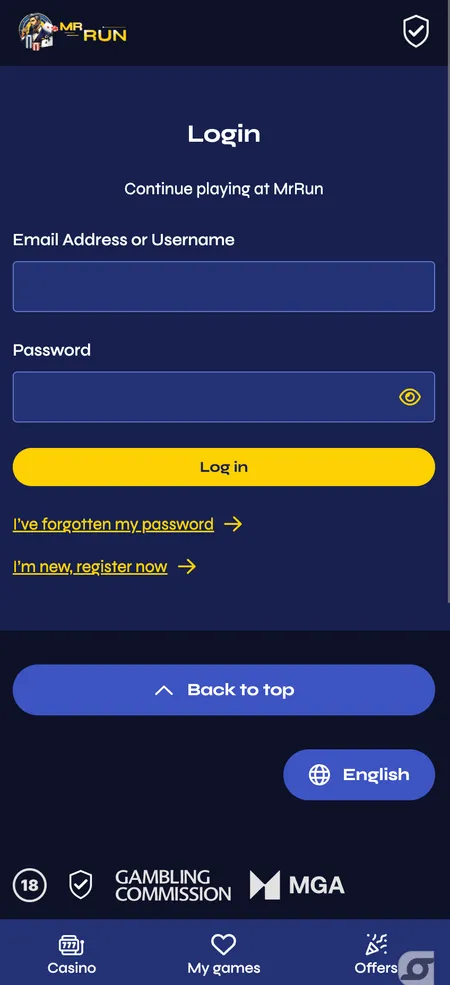
If the site loads but your credentials are rejected, make sure you are using the email address or username linked to the account. Check for accidental spaces, keyboard-layout changes and password-manager entries that may have become outdated. If you have forgotten your password, use the casino’s official reset process rather than a link sent by an unknown person.
Follow the reset instructions carefully and check your junk folder if an expected email does not arrive. Never share a password, one-time code or reset link with anyone claiming to be support. A legitimate support representative should not need your full password to investigate a sign-in problem.
Repeated failed attempts may temporarily restrict sign-in as a security measure. If that happens, stop trying variations of your password and contact support through a verified channel. Give a concise description of the problem, including the approximate time it began, your device and browser, and any error message. Do not send card details or identity documents unless the casino requests them through a secure, authenticated process.
Browser, device and network fixes
Outdated software can prevent pages, verification tools or payment screens from working properly. Install updates for your browser and operating system from their official settings or app store. Then close and reopen the browser and try again.
Clear stored site data carefully
A corrupted cookie or cached file can sometimes cause a login loop or a page that never finishes loading. You can clear the casino’s stored site data in your browser settings, then reopen the verified address and sign in again. Clearing all browsing data may sign you out of other services, so use the narrower site-specific option when available.
Review extensions and privacy settings
Content blockers, script controls and strict privacy extensions can interfere with interactive pages; If you suspect an extension, temporarily disable it for the casino’s verified domain and test once. Do not install unfamiliar “casino access” extensions, certificates or software. Restore your preferred privacy settings after testing, and avoid lowering your device’s security protections broadly.
Try another trusted connection
Switching from a home network to mobile data can help identify whether a router or internet provider is causing the problem. This is a diagnostic step, not a way to evade a restriction. Do not use a VPN, proxy or location-spoofing tool to get around a casino’s territorial controls. Doing so may breach its terms, interrupt identity checks or put a withdrawal at risk.
When access is limited by location or verification
Online gambling rules and casino availability depend on where a person is physically located and on the operator’s permissions. If Mr Run Casino states that its service is unavailable in your location, do not try to bypass that limitation. Check the operator’s current terms and the relevant official UK gambling guidance, and use only services that are properly authorised for your circumstances.
Access may also be restricted while the casino verifies identity, age, payment ownership or account details. These checks are a normal part of regulated gambling and security procedures. Read the request in your account or official email, submit only the information requested through the casino’s secure channel, and make sure the details match your account. If a check seems unclear, ask support to explain it before sending documents.
If you believe a restriction is mistaken, ask for a review rather than creating a second account. Multiple accounts can complicate verification and may breach site rules. Keep a record of support messages and reference numbers, but do not post personal account details publicly.
Questions UK players often ask
Why does Mr Run Casino open on one device but not another?
The devices may use different browsers, saved cookies, network settings or software versions. Update the affected browser, test the verified site address in another browser and check whether an extension is blocking a required feature. If the problem follows your account across devices, contact support rather than repeatedly changing settings.
What should I do if the password reset email does not arrive?
Confirm that you entered the email address associated with the account, then check spam and junk folders. Wait a few minutes before requesting another message. If it still does not arrive, contact support through a verified channel. Do not use a third-party recovery service or share your inbox credentials.
Can I use a VPN to restore access?
A VPN may change how a website sees your connection, but using it to bypass a location restriction is not a safe solution. It can conflict with the casino’s terms, trigger additional checks or affect account actions. If you are travelling or believe your location has been detected incorrectly, ask support what options are permitted.
Should I create a new account if I cannot sign in?
No. A second account may violate the operator’s rules and make identity checks, balances or withdrawals more difficult to resolve. Use password recovery or ask support to investigate the existing account.
Contacting support effectively
When basic checks do not work, contact the casino using contact details found on its verified website or in official account communications. Explain whether the issue involves loading, login, a security check or account verification. Include your device type, browser version, approximate time and the exact error text, but leave out your password, full payment-card number and one-time codes.
Ask for a case reference and an estimate of when you should follow up. If support requests documents, verify that the upload destination belongs to the casino and use a secure connection. Keep copies of relevant correspondence. If you are concerned about how your personal data or complaint is being handled, review the operator’s published complaints procedure and the official routes available to UK consumers.
Protect your account while resolving the problem
- Use a unique, strong password and store it in a reputable password manager.
- Turn on any additional account-security option the casino officially supports.
- Keep your operating system, browser and security software updated.
- Do not follow access-recovery links in unsolicited texts, emails or direct messages.
- Never pay a “recovery agent” who promises to unlock an account or guarantee a withdrawal.
- If gambling is causing stress or financial harm, pause play and seek appropriate support instead of trying to regain access.
A sensible route back online
Most ordinary access problems can be narrowed down by checking the address, connection, browser and sign-in details in a calm order. Use password recovery for forgotten credentials, and rely on verified support for account locks or verification questions. If the casino’s rules or a location restriction prevent access, respect that limit rather than attempting to circumvent it.
Taking these steps protects both your account and your personal information. If the issue continues after basic troubleshooting, a clear support request is safer and more effective than installing unfamiliar tools or repeatedly attempting to sign in.